
Measured At 9:04. Sent At 9:05.
A PDF quote, a plain image, or a link. Out the door while the customer is still on the phone.
Four Ways Out
However They Want It
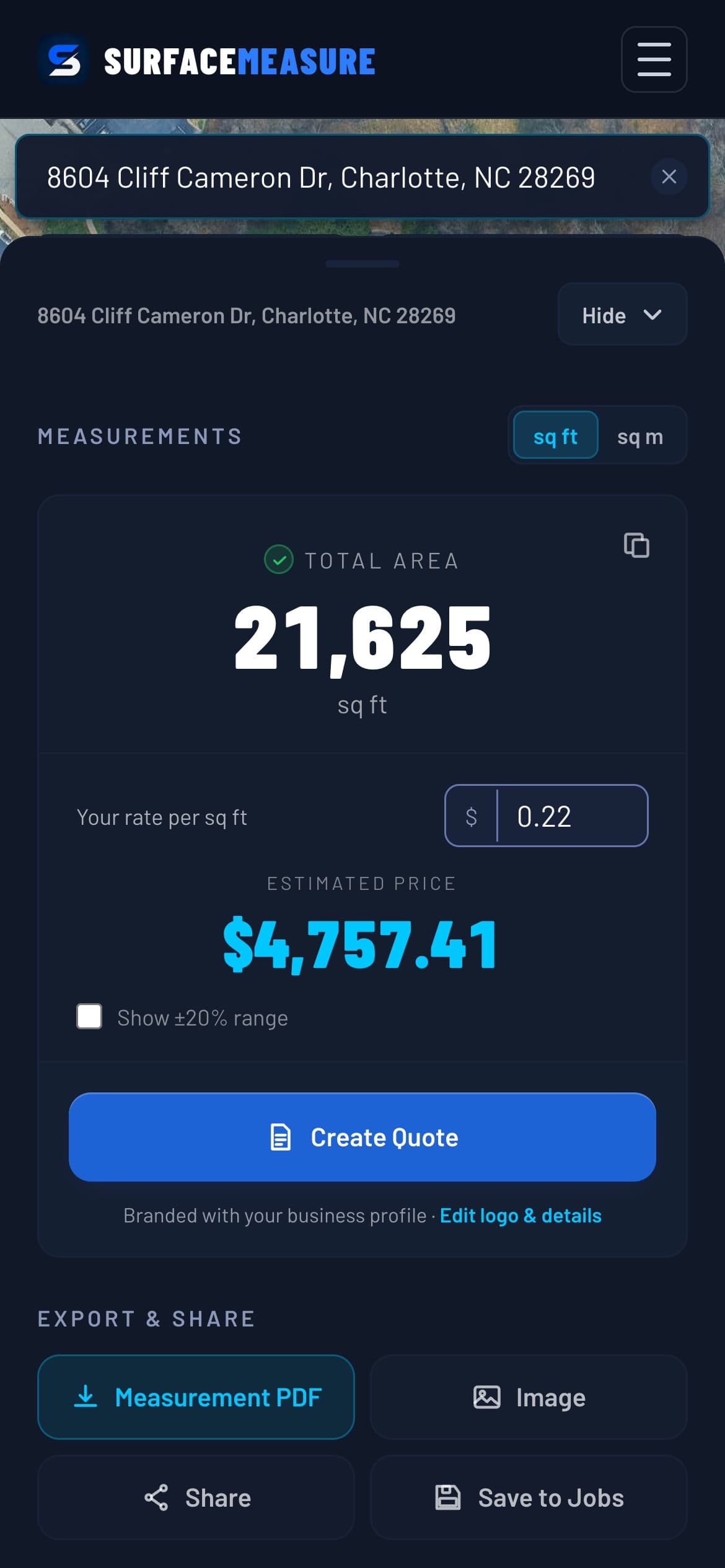
Create Quote is what the customer says yes to: a PDF with your logo and the traced lot, and a link they open on their phone and accept with one tap.
The four buttons under it hand over the measurement itself: a Measurement PDF for your records, an Image summary to text, a Share link with the area, and Save to Jobs so it is on your account either way.
Why It Matters
Most Jobs Go To Whoever Answers First
The Gap Is The Job
Between the call and the quote is where work gets lost. Close it to minutes and you are the only one who has given them a number.
It Looks Like A Company
An aerial of their own property with your outline on it does more for your credibility than a figure read out over the phone.
Your Branding On Pro
Pro puts your company name, logo, details and brand color on the document, from the first day of the trial.
Questions, Answered
Exporting, Answered
What is on the quote PDF?
Create Quote builds it: the property address, an aerial of the job with your traced outline on it, the measured area, your rate and the total, plus any material line items you added. It carries your company name, logo, contact details and brand color. Branding is part of Pro, and the trial is Pro from the first day.
Can I send something faster than a PDF?
Yes. Create Quote also gives you a link. Send it from your phone's share sheet, and the customer opens it on any device, sees your price and taps Accept. The Image export is a summary card of the measurement, and the share link shows the measured area without a price.
Do I need to be back at the office?
No. Everything here works from a phone on the same screen you measured on. The whole point is that the quote leaves while you are still in the conversation, rather than joining the pile you meant to do on Sunday night.
Where does the quote go afterwards?
Every finished measurement is saved to your account whether you export it or not, so nothing is lost if the customer goes quiet and calls back in March. Pro opens the Jobs page, where you can search past work by address, reopen it and send it again.
Keep Exploring
The Rest Of The Kit
Free Guides & Calculators