
Features
Everything You Need To Win More Jobs.
SurfaceMeasure finds commercial lots near you, measures any property from satellite, sends a branded quote your customer can accept, and tracks every job until you’re paid.
The measuring tool for
- Pressure Washers
- Lawn Care Pros
- Snow Removal Pros
- Sealcoating Pros
- Concrete Contractors
- Landscapers
- Paving Contractors
- Deck & Patio Builders
- Striping Contractors
- Pool Builders
01 Find
Find the lots worth bidding.
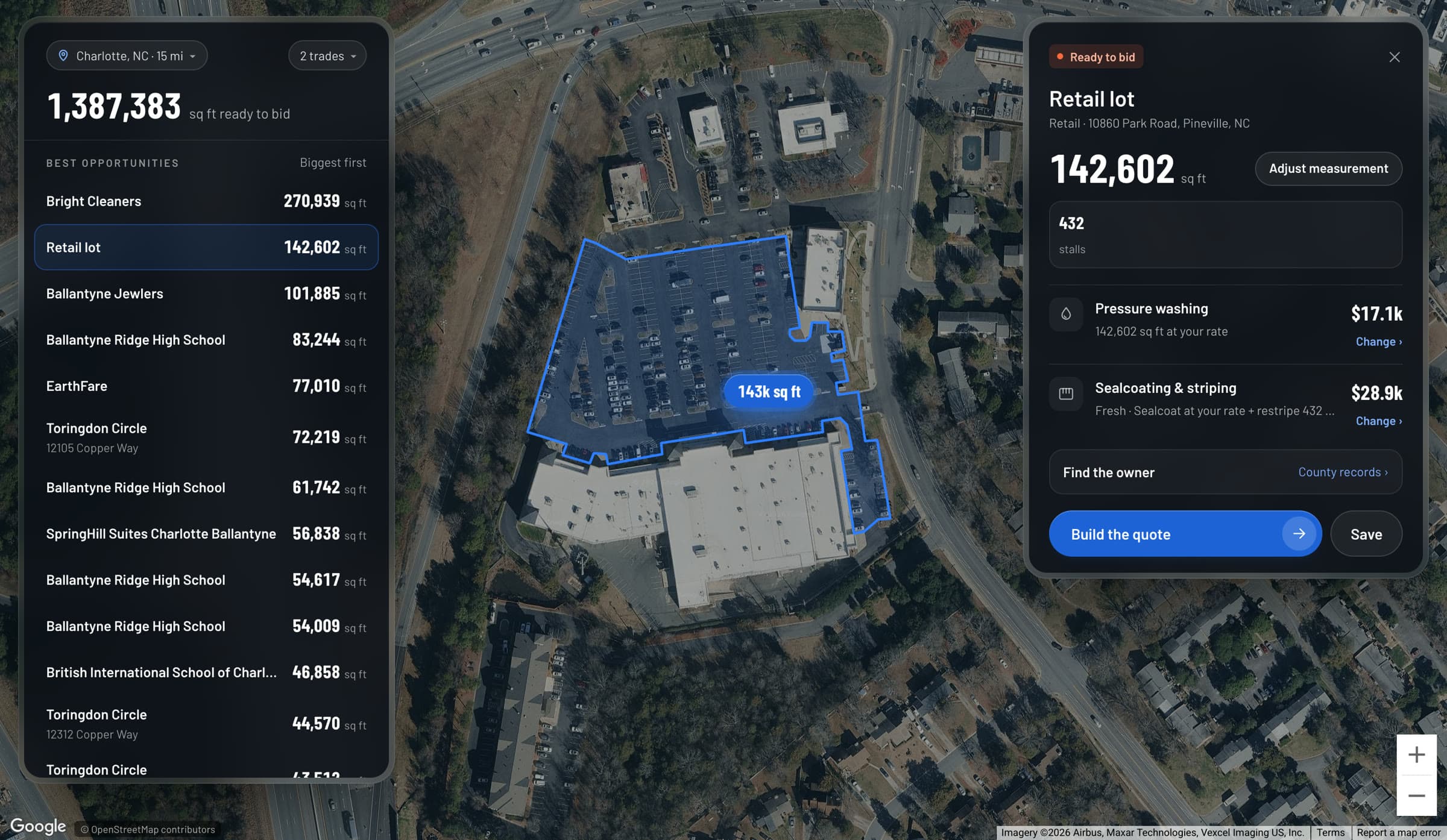
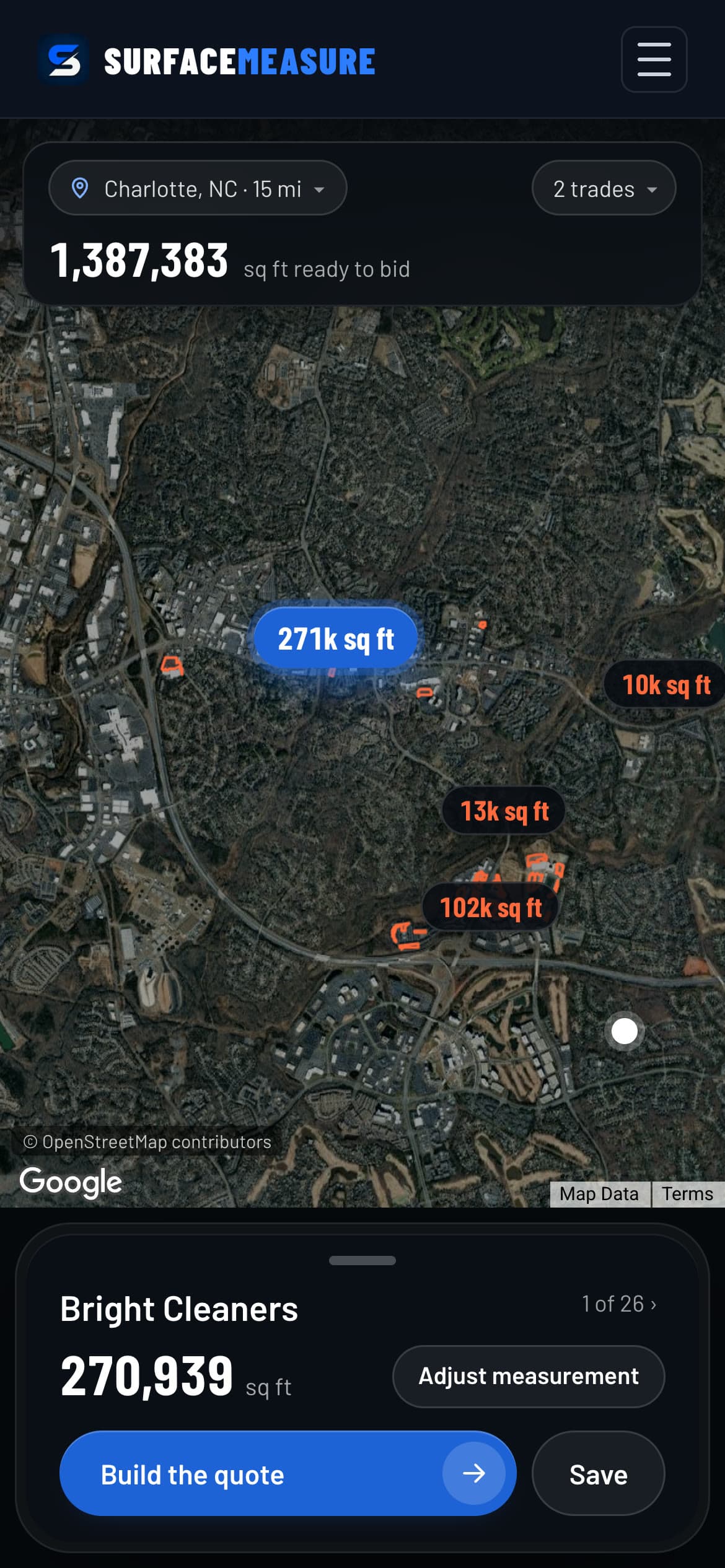
Commercial lots near you, already outlined and measured, biggest first. Pick your trades and build the quote in one tap.
Priced at your rate
Every card prices the lot for your trades at the rate you set: pressure washing, sealcoating and striping, paving, snow.
Find the owner
One tap opens the county property records for that lot, so you know who to call before you quote.
Save the ones you want
Save a lot and move it from contacted to quoted to won. Not in your area yet? Request it from the map.
02 Measure
Measure any property in under a minute.
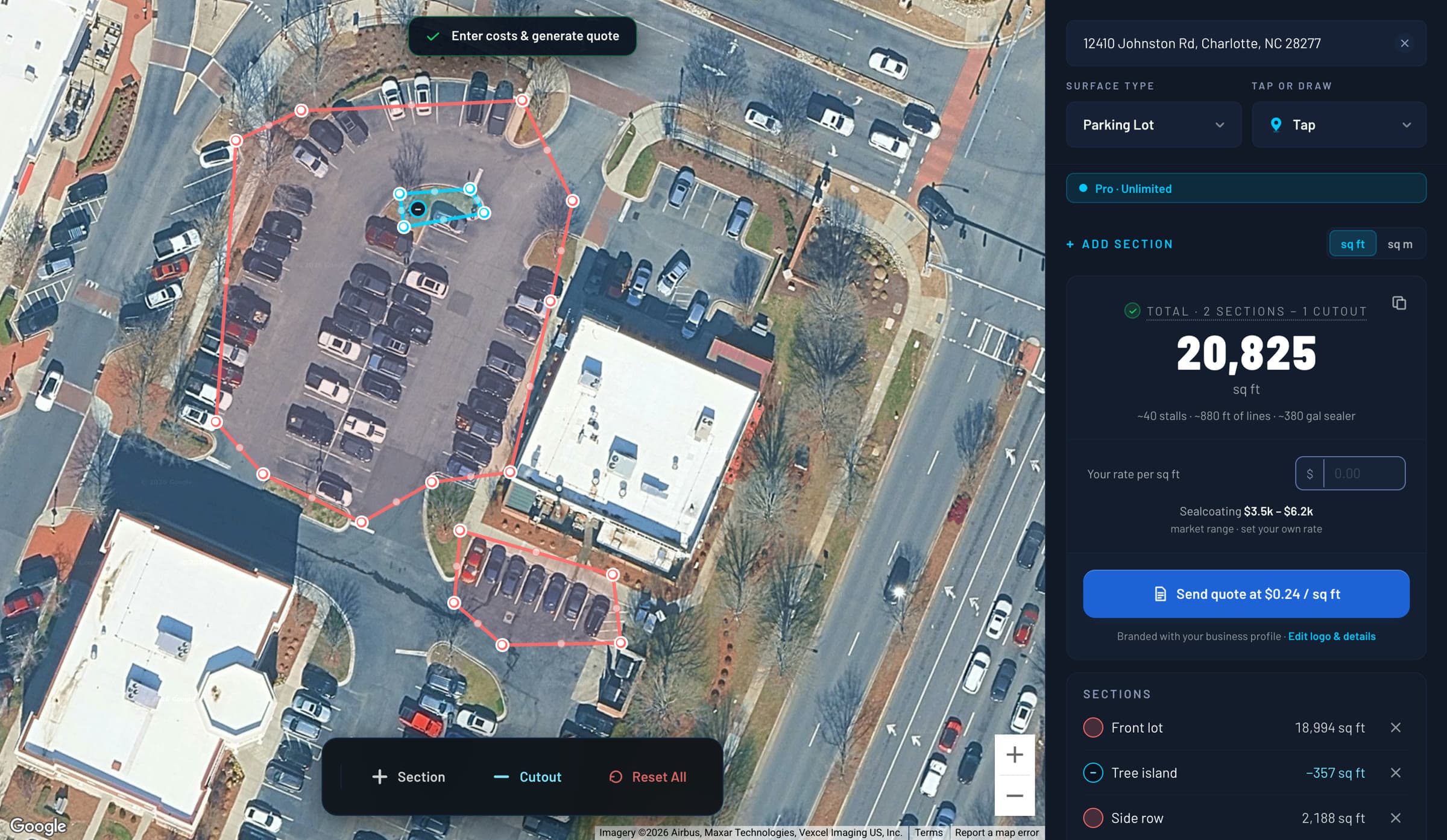
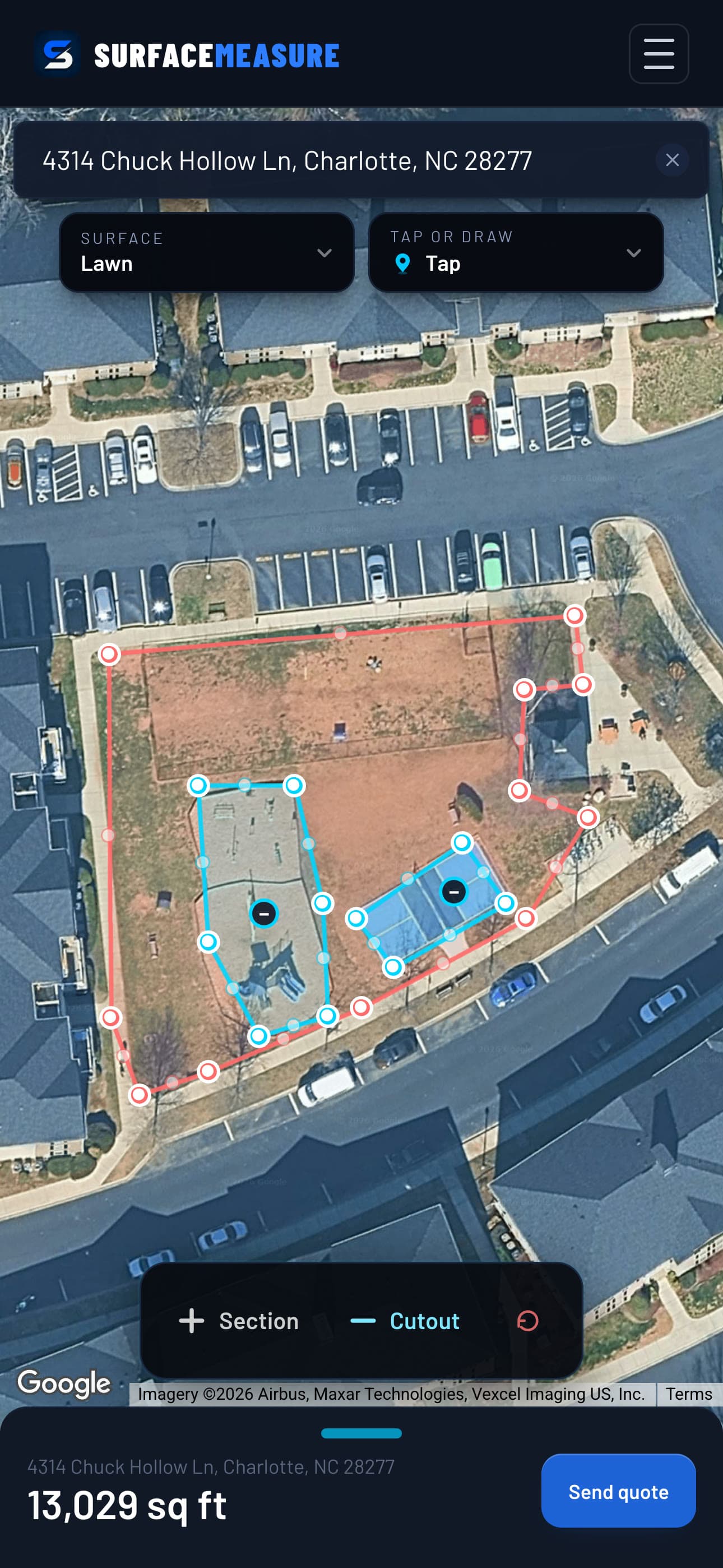
Type the address and trace it on satellite imagery. Add sections, cut out islands and buildings, and bid only what you'll work.
Eight job types
Driveway, patio, sidewalk, deck, parking lot, pool deck, lawn and snow removal. Each one measures and prices the way that work is sold.
Tap or draw
Tap the corners, or draw along a curved edge with your finger. Drag any corner and the number updates.
Sections and cutouts
Trace the front lot and the side row as sections of one job, and cut out islands, buildings and playgrounds so they come off the total.
Square feet or metres
Switch the area between sq ft and sq m with one tap.
03 Quote
Send a quote they can say yes to.
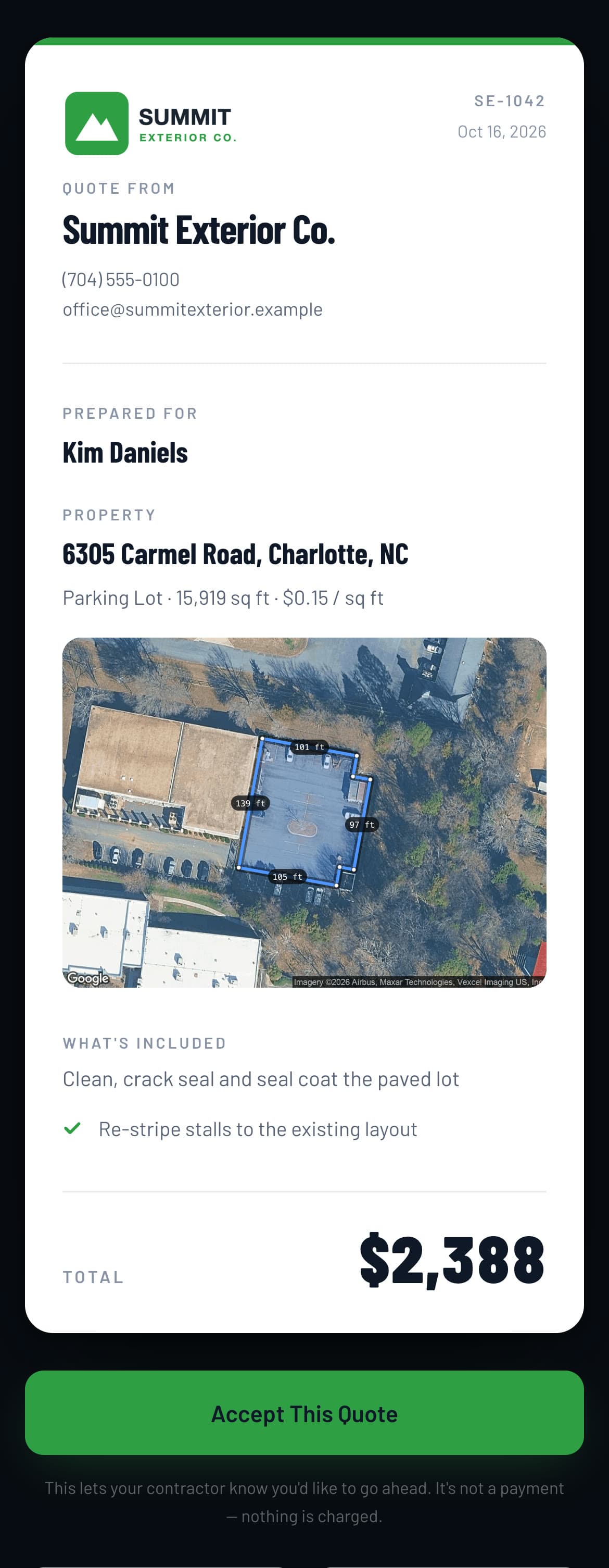
Your logo, your price and the traced property on one page. They open the link and tap Accept, and you see when they viewed it.
Your rate, your materials
Enter your rate per square foot and add up to ten material lines. Tick “Show ±20% range” when you want to give a range.
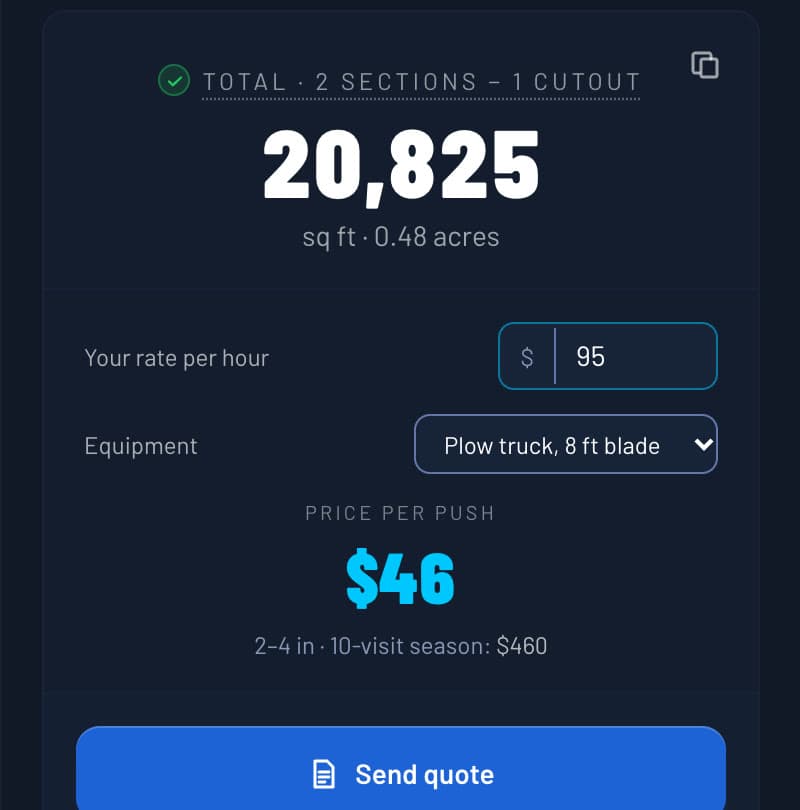
Snow priced per push
Set your hourly rate and equipment, and Snow Removal prices each push and the season.
Your brand on it
Your logo and colour, your phone and email, the traced lot and the total, as a PDF and as a link you text or email from your own phone.
Know when they looked
Your customer taps Accept on the link. Your Jobs page shows how many times they opened it and when they said yes.
04 Track
Never lose a job you quoted.
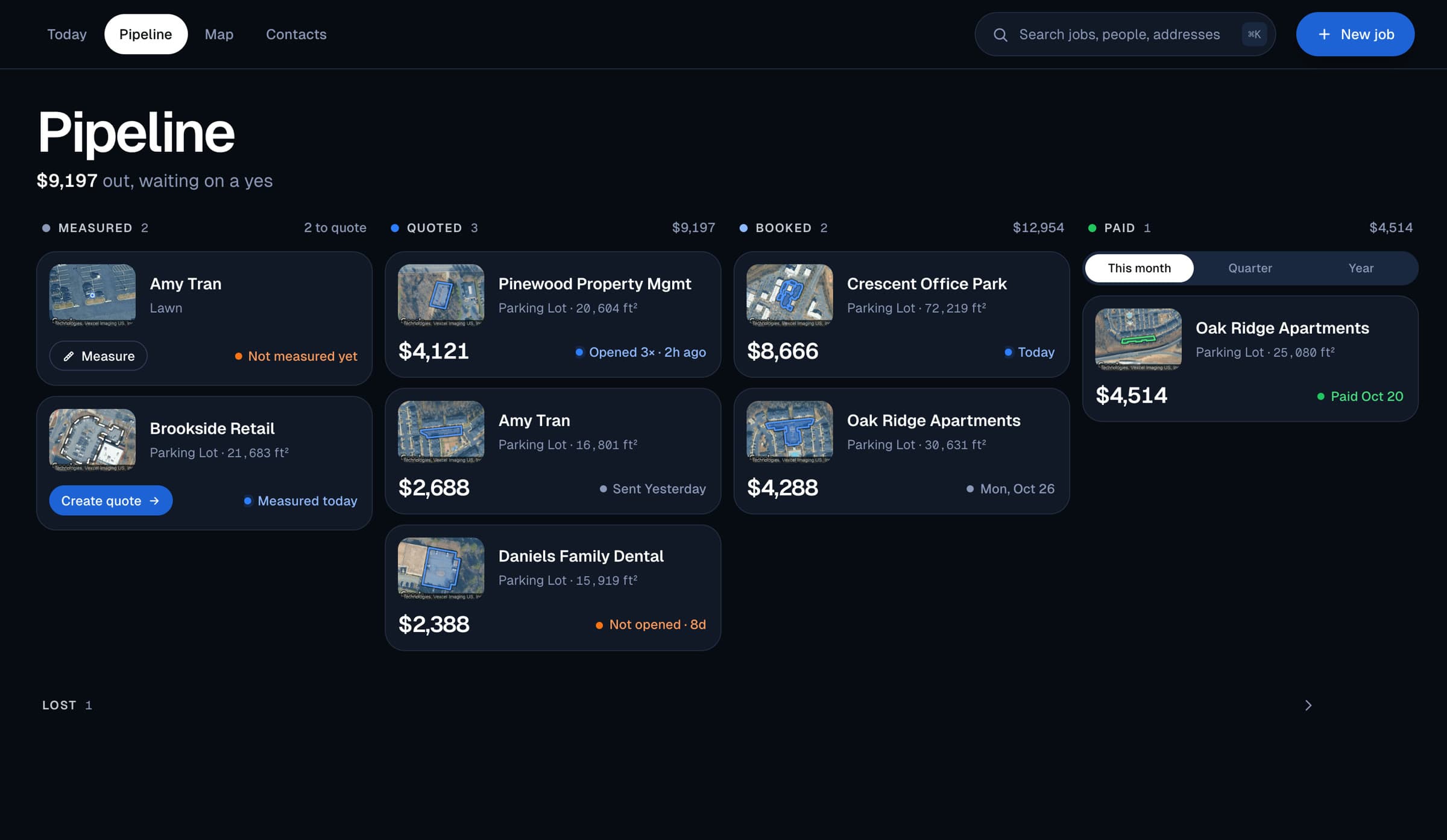
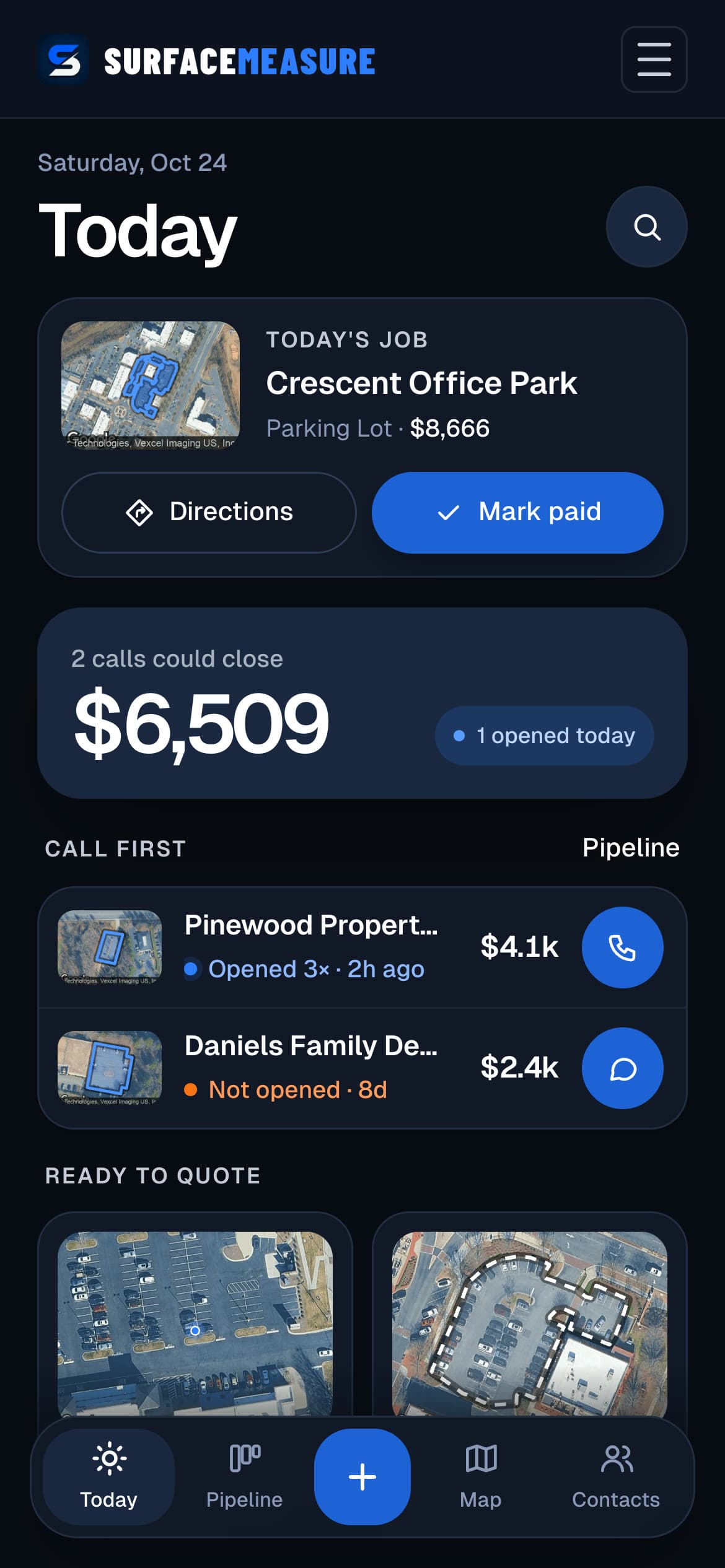
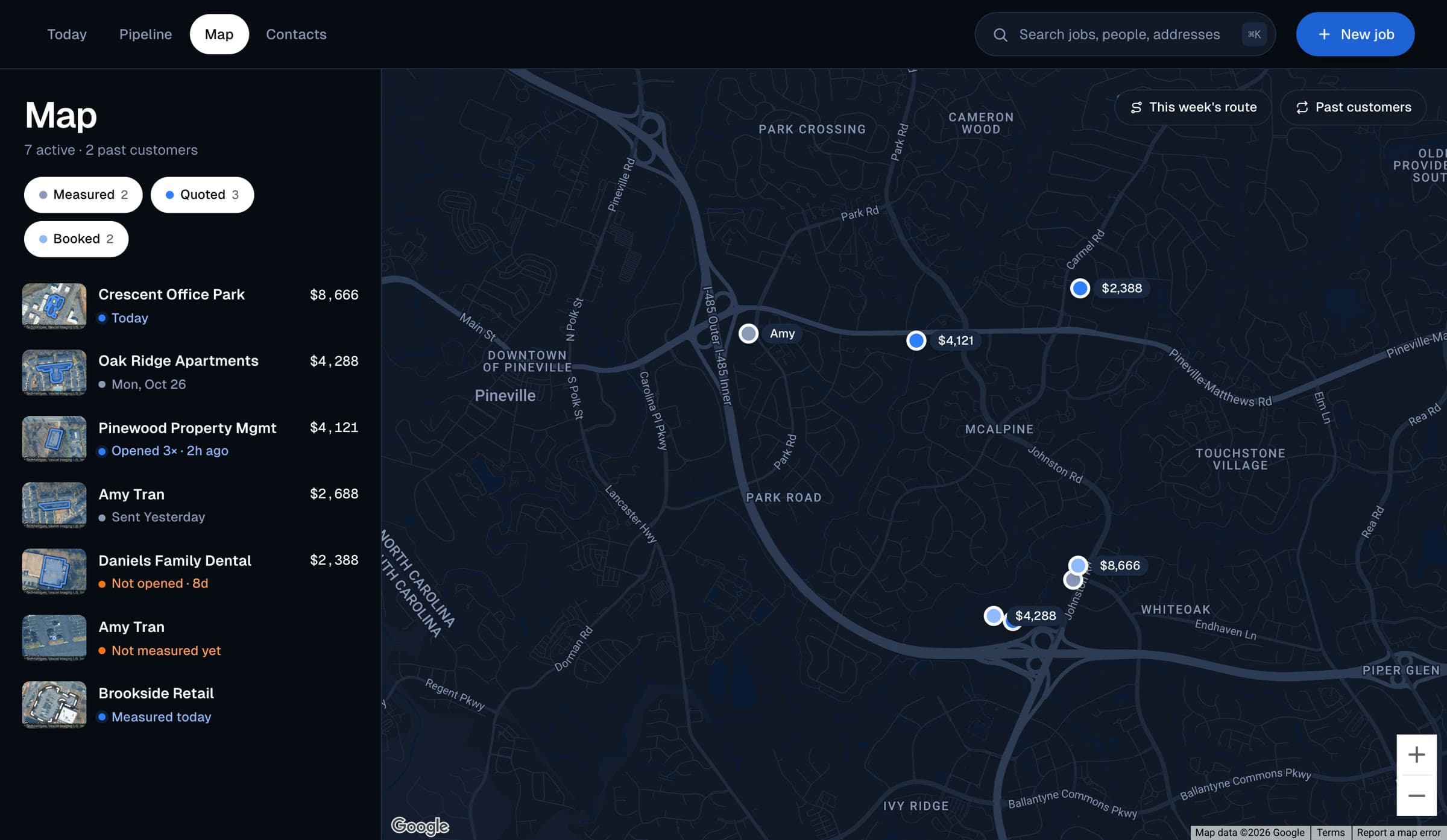
Every job moves from measured to quoted, booked and paid. See who to call today, map this week's route, and keep every customer in one place.
Today
Today's job, the calls that could close and who opened your quote, so you know who to call first.
Pipeline
Measured, quoted, booked, paid. See what's out waiting on a yes and what you've been paid this month.
Map and route
Every job on one map, this week's booked jobs in driving order, and directions one tap away.
Contacts and new jobs
Every customer with their jobs, and a new job started from any address in a few taps.
Questions, Answered
Before You Ask
How accurate is a measurement taken from satellite imagery?
The imagery is already to scale, so accuracy depends on your trace. A careful trace comes back typically within 1–3% of a tape measurement on a flat, open surface. Zoom in and follow the edge. Contractors use it on parking lots, lawns, sidewalks, pool decks and driveways.
Which trades is this actually for?
Anyone who bills by the square foot, the visit or the push: pressure washing, lawn care, snow removal, sealcoating and striping, concrete, landscaping, paving, and decks and patios. If your estimate starts with an area and a rate, SurfaceMeasure measures it, prices it and sends the quote.
What surfaces can I measure?
Eight: driveway, patio, sidewalk, deck, parking lot, pool deck, lawn and snow removal. Pool Deck takes the pool out of the deck. Lawn shows a market range for mowing, fertilization, aeration or sod. Snow Removal measures a lot the way Parking Lot does and prices it per push, with a season total. Every mode but Pool Deck can be traced in several sections that add up to one total, with cutouts for islands and buildings that come off it.
What happens to a job after I send the quote?
It sits in your pipeline as quoted, showing when the customer opened it. When they accept, it moves to booked; pick the day, then mark it paid. A paid job reminds you to ask for a review, and tells you when it's due for service again.
What does Pro cost after the trial?
New accounts start with a 7-day free trial of Pro: a card is required, nothing is charged today, and nothing at all if you cancel before the trial ends. After that it is $29.99 a month, or $299 a year (the yearly plan has no trial). Pro covers unlimited measurements, full job history and priority support. The calculators and pricing guides on this site are free, with no account needed.
Built For Contractors
Measurement Software For The Trades
SurfaceMeasure turns satellite imagery into square footage for contractors who price work by the foot: pressure washing, lawn care, snow removal, sealcoating and striping, concrete, landscaping, paving, and decks and patios. Find the job, measure it, price it at your own rate, send a quote with your logo on it, and track it until you’re paid. The guides, calculators and pricing references in the Resource Center are free, with no account needed.