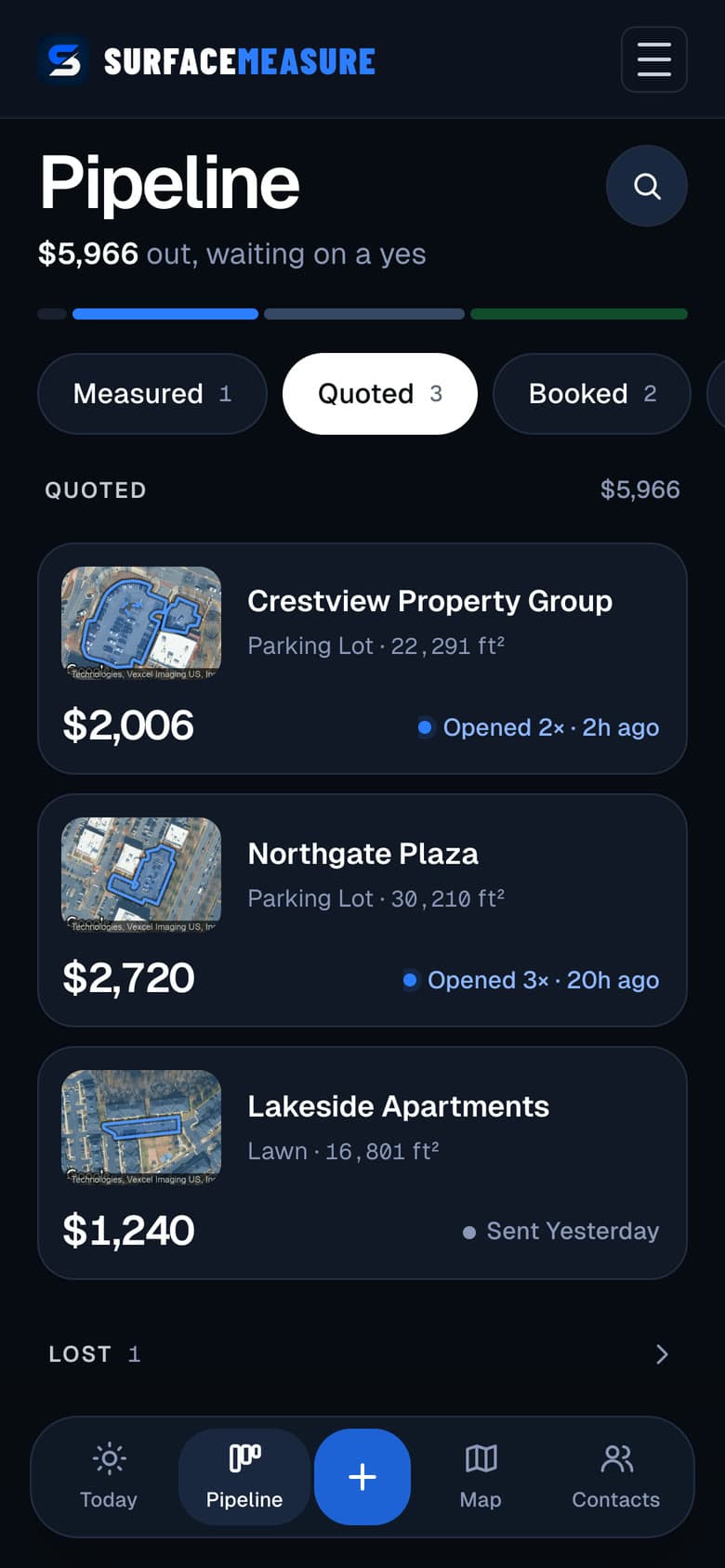
SurfaceMeasure measures any property from satellite imagery in under 60 seconds, sends a branded quote your customer can accept, and tracks the job until you're paid.
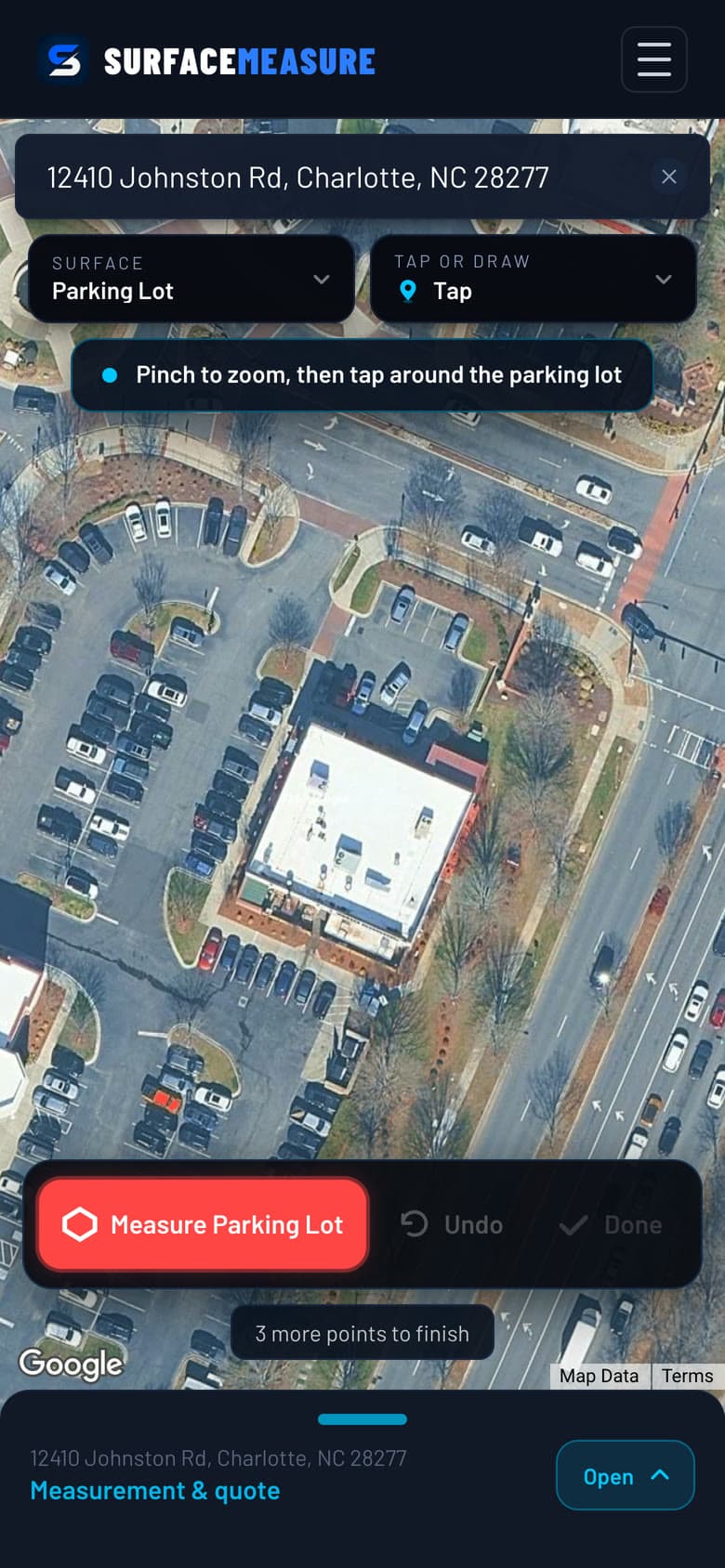
Type the address, pick the job, and the satellite image of the property is already up. Or start from Prospects: commercial lots near you, already outlined and measured, biggest first.
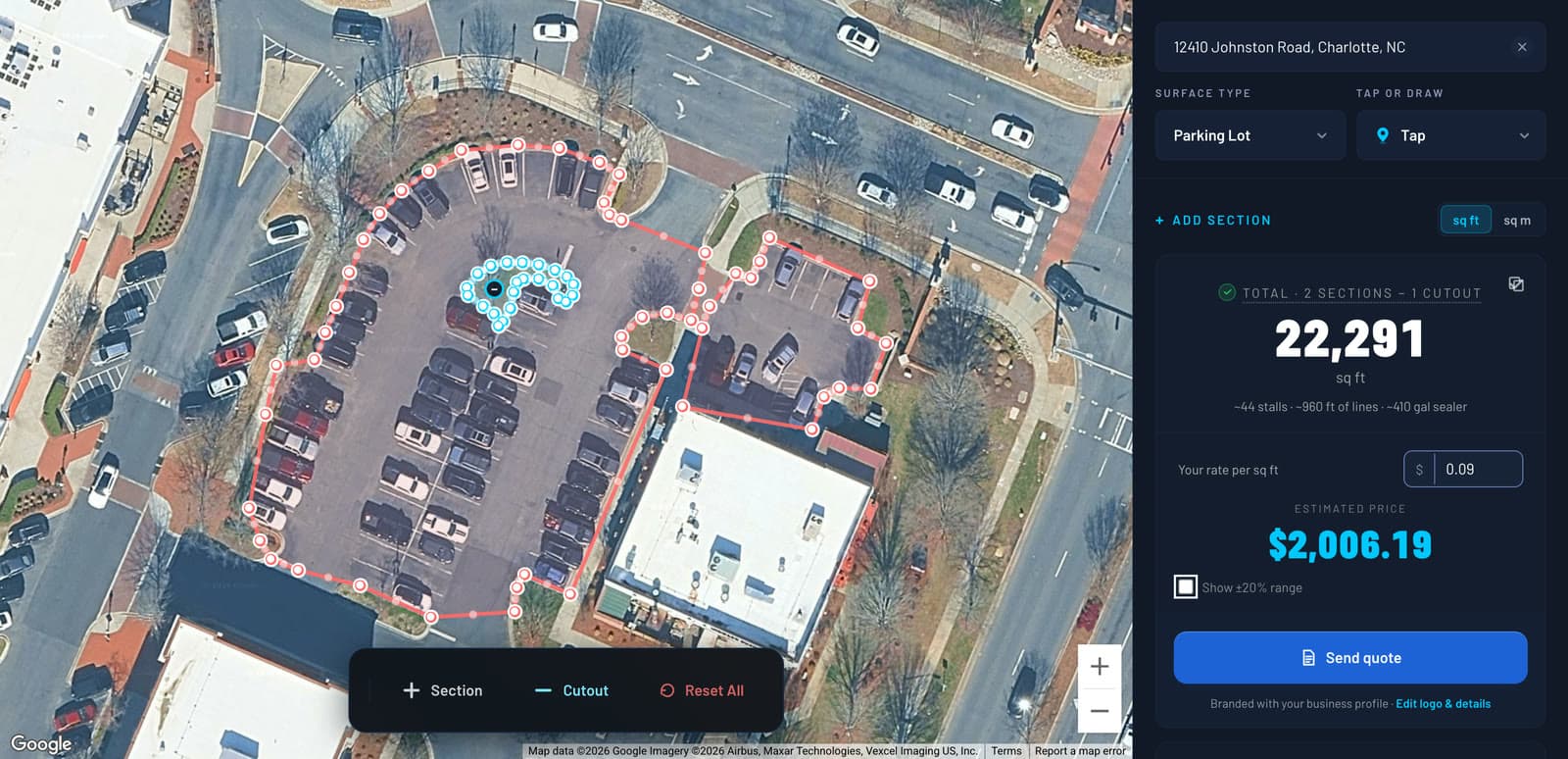
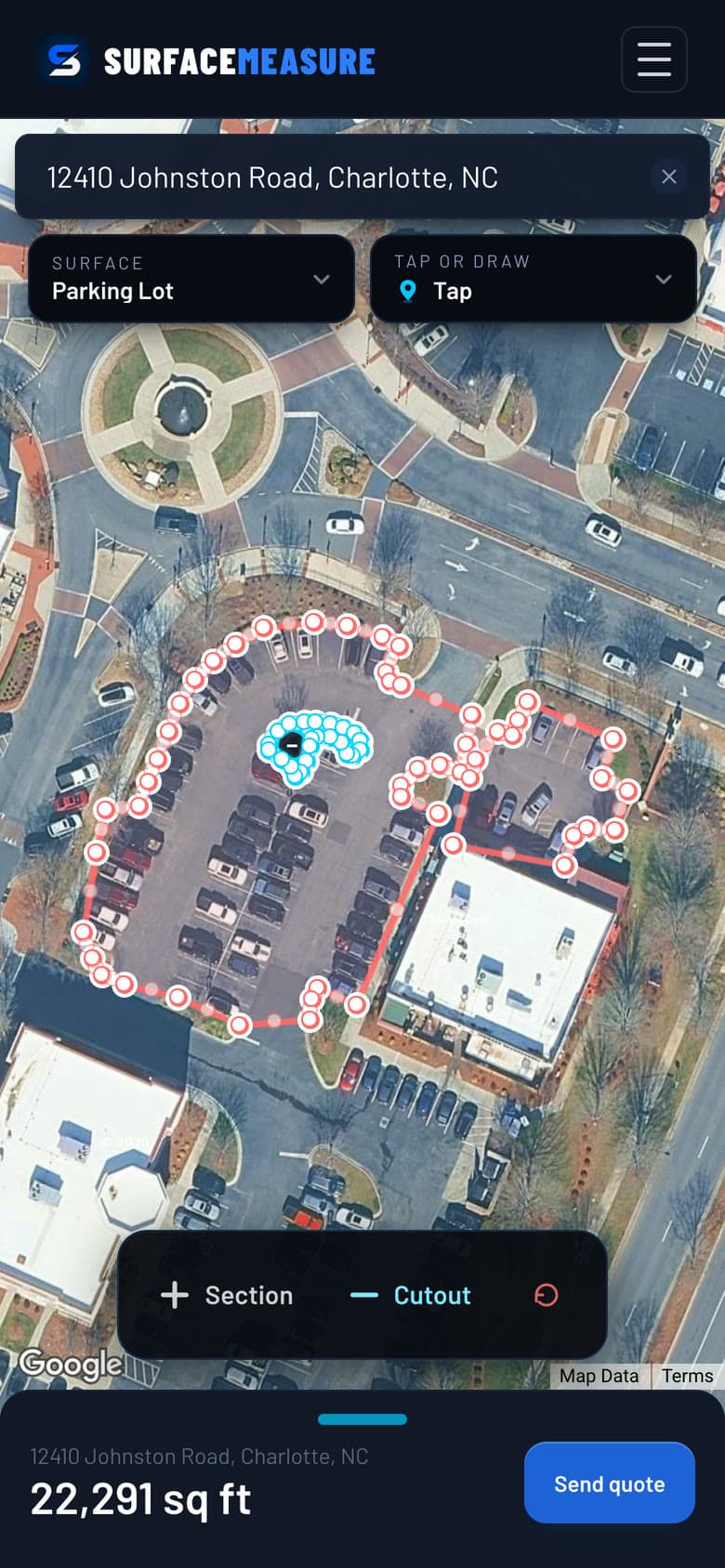
Tap each corner along the curb, or drag one loop around the edge. Close the shape and the square footage is there, to scale. Add a section for the side lot, cut out islands and buildings, and the total takes them off.
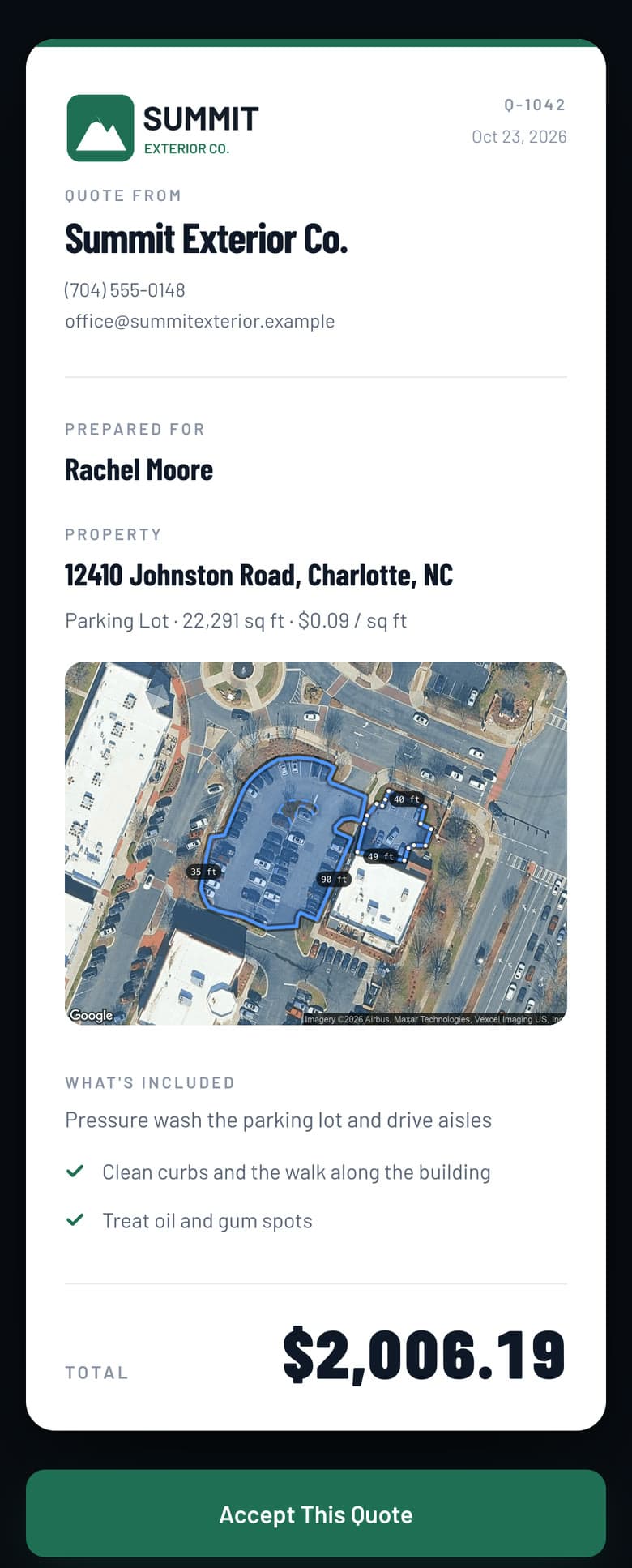
Type your rate and the price is on screen. Send it as a link: your logo, your price and the traced property on one page. They tap Accept on their phone, and you see when they opened it. Or send the PDF.
Every job moves from measured to quoted, booked and paid, and an accepted quote books the job on its own. Today shows who to call, the map lays out this week's route, and every customer stays in Contacts.
Because you are not judging a photograph by eye. The imagery is scaled to the ground, so the outline you trace carries real dimensions, and the square footage is calculated from that outline the same way it would be calculated from a site sketch.
On flat outdoor surfaces that puts a traced measurement typically within 1–3% of a tape, and it is more repeatable than a tape because the shape is saved. Nobody is walking a wheel along a curb at seven in the morning and writing the answer on their hand.
Strongest on
Flat, open, horizontal surfaces. Concrete, asphalt, pavers, decking and gravel: anything you can see the whole of from above.
Worth a second look
Heavy tree cover over the edge of a surface, and anything built or poured since the imagery was captured.
Not what it does
Vertical faces and pitched roofs. You are measuring the footprint on the ground, not the slope above it.
Scale comes from the imagery and the shape from your outline. The square footage is computed from both.
Your rate per sq ft. A pool deck takes the pool out of the total.
If you price work by the square foot and the surface is flat, you can measure it, whether or not your trade is on the list.
What Contractors Ask First
Do I need to visit the property to measure it?
No. SurfaceMeasure loads high-resolution satellite imagery for any address in the United States. You search the address, the map moves to the property, and you trace the surface from wherever you are: the truck, the office or the kitchen table.
How close is a satellite measurement to a tape?
On flat outdoor surfaces like concrete, asphalt, pavers and decking, a traced measurement typically lands within 1–3% of a tape. The imagery is scaled to the ground, so the outline you draw carries real dimensions and the area is calculated from that outline, not estimated by eye. The shape is also saved, so you can reopen it and check it later.
Which surfaces can I measure?
Eight job types: parking lot, snow removal, sidewalk, driveway, patio, deck, pool deck and lawn. Most are one traced shape and one number. Pool deck takes the pool out of the deck and quotes the net area, and snow removal turns the lot into a price per push, per salt run and for the season.
What if the satellite image is out of date?
Coverage is recent for most of the country, but capture dates vary, and a driveway poured last month may not be in the picture yet. When the imagery and the property disagree, trace the footprint you can see and note the difference on the quote, or measure that job on site as you always have. The imagery date is a limit of the picture, not something the tool hides from you.
Does it work on a phone at a job site?
That is what it is built for. Searching, choosing the surface, tracing, pricing and sending the quote all run in a phone browser with nothing to install. You can tap once at each corner, or hold and drag one loop around the surface, whichever suits your hands. Close the shape and the square footage is there.
What does the customer actually receive?
A quote with your company name and logo, the property address, the measured area, your price and your scope of work. Send it as a link and they open it on their phone and tap Accept; you see when they opened it, and an accepted quote moves the job to Booked in Jobs. You can also send it as a PDF. The image export is a summary card for a text message: the address, the surface and the square footage, not a photo of the property.
Can I go back to a measurement later?
Yes. A finished measurement saves to your account with the address, the surface type and the numbers. Reopen a past job, re-export the PDF, or look up a property's square footage months later without measuring it again.
Can I track jobs after I quote?
Yes. Every job you measure lands in Jobs and moves from measured to quoted, booked and paid. You see when a customer opens the quote link and when they accept it. Today shows who to call next, Pipeline shows what is out waiting on a yes, Map lays out the week's route, and Contacts keeps every customer and their jobs in one place.
Can it find me new work?
Yes, with Prospects. It shows commercial properties near you with each lot already outlined and measured, biggest first, reviewed lots first and estimated ones marked so you can check the outline, and only lots of 10,000 sq ft and up. Pick the trades you sell, see what each lot is worth, and build the quote in one tap. Prospects comes with Pro and with the trial; if your area is not covered yet, you can ask for it.