
Your Rate. Their Number.
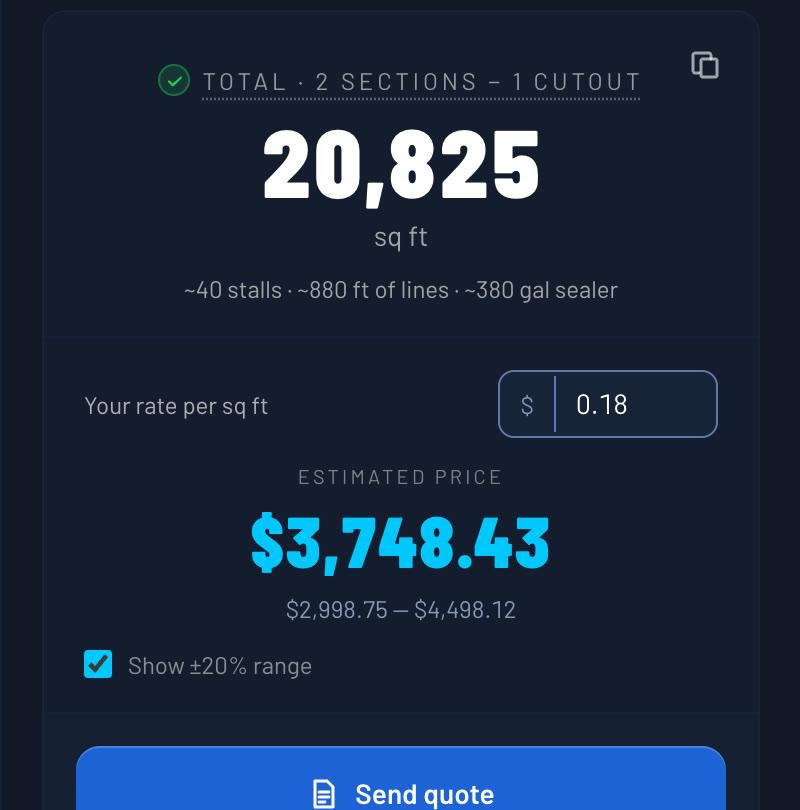
Drop in what you charge per square foot. The total comes back priced against real measured area, the way you already bill it.
The Arithmetic
Priced The Way Each Trade Bills
The measurement is the hard part and it is already done. Put in your rate per square foot and the total moves with it, so you can check a price against your floor before it goes out.
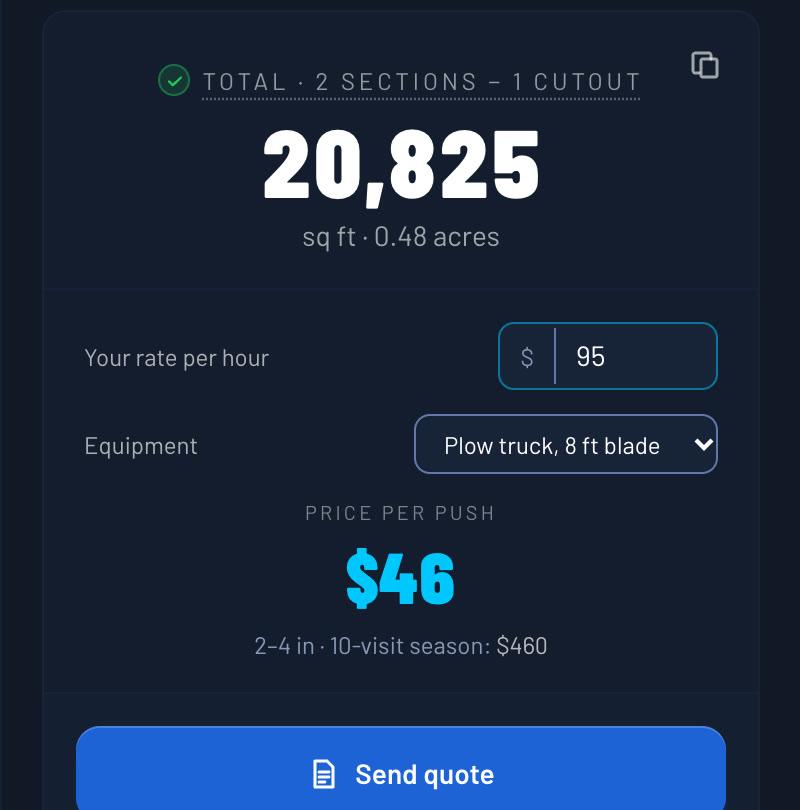
Not every trade bills by the foot. Snow removal turns your hourly rate and your equipment into a price per push and a season total. A lawn shows the going range for mowing, fertilization, aeration or sod at that size, as a reference beside your own number.
- Measured
- 20,825 sq ft
- Your rate
- $95 / hour
- Per push
- $46
Why It Matters
Priced Before They Call Someone Else
A Range When You Need One
An optional ±20% band either side of the total, for the jobs where a single number would be a promise you cannot keep from a satellite.
Materials As Line Items
Name, unit cost, quantity. Chemicals, sealer, sand, a dumpster — the things a job carries that are not priced by the square foot.
Your Number, Not A Suggestion
Nothing here guesses at your market. You set the rate; the software stops you fat-fingering the multiplication in a truck.
Questions, Answered
Pricing, Answered
Does it tell me what to charge?
No, and it should not. Your rate is your cost base, your market and your overhead, and no tool that has never seen your books should be setting it. You put the number in; the software does the part that is actually arithmetic. If you are still working your rate out, the pricing guide in the resources below builds one from your real costs.
What is the ±20% range for?
It is an optional band shown either side of the total, for the conversations where a single figure would be dishonest — heavy staining, an unknown substrate, a surface you have only seen from above. Turn it on and the customer sees a low and a high instead of a number you will have to walk back.
Can I put materials on the quote?
Yes. The quote takes line items with a name, a unit cost and a quantity, and they total separately from the surface work before landing in the final figure. Chemicals, sand, sealer, a dumpster — anything the job carries that is not priced by the foot.
Does it handle square meters?
Yes. The sq ft / sq m toggle beside the measurement switches how the area is shown. Your rate stays per square foot, so the total does not change.
Keep Exploring