
Trace It Once. Get The Real Number.
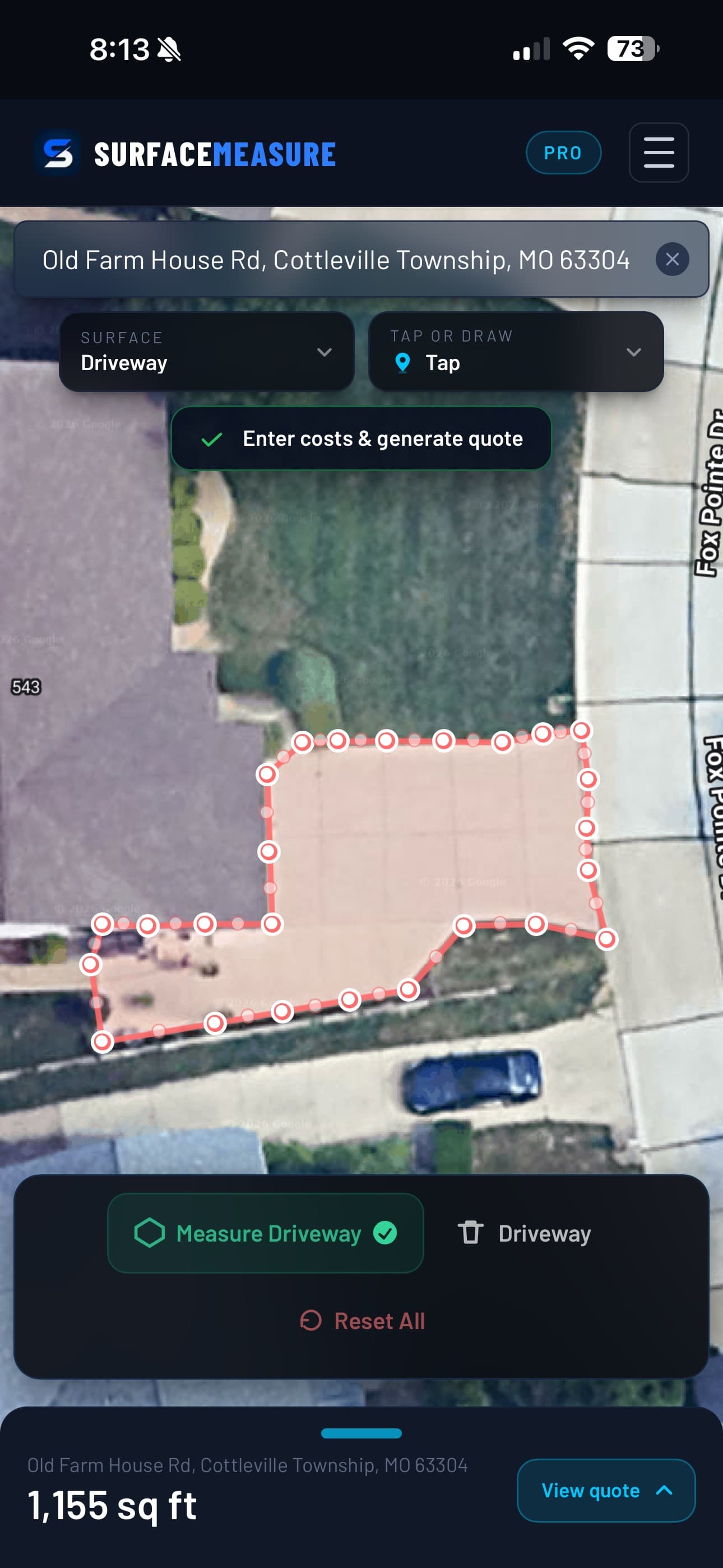
Tap the corners or drag around the edge. Close the shape and the square footage is there, to scale, on real satellite imagery.
Two Ways To Outline
Corners Get Tapped. Curves Get Drawn.
Tap mode drops a point per tap and joins them as you go, so a driveway is six taps and a parking lot is a dozen. Draw mode captures one continuous press-and-drag stroke, which is the honest way to follow a kidney pool or a rounded courtyard edge.
The outline fills in behind you as you work, so you can see the shape you are committing to. Close it and the square footage lands.
Why It Matters
A Trace You Can Defend
Every Point Moves
Close the shape and the corners stay live. Drag one onto the true edge and the total follows it — no restarting a trace over one bad tap.
Zoom Is The Accuracy Dial
Nothing about the measurement is estimated. The closer you zoom before you trace, the tighter the edge you can follow, and the number tightens with it.
It Survives The Argument
When a customer asks how you got the number, you can show them the outline sitting on their own roofline. That is a harder thing to push back on than a figure off a clipboard.
Questions, Answered
Drawing Tools, Answered
Tap or draw — which should I use?
Tap for anything with corners. A driveway, an apron, a rectangular lot: a handful of taps and you are done, and every point stays exactly where you put it. Draw is for curves — a kidney pool, a rounded courtyard, a bed that wanders — where placing forty points by hand would be slower and no more accurate.
How accurate is a traced measurement?
The imagery is already to scale, so accuracy is down to how closely you follow the edge. Zoomed in, a careful trace is tight enough to bid flat work against. Where a few square feet decides whether a job is worth taking, zoom further in and check the total against your own minimum before you send it.
Can I fix a corner I put in the wrong place?
Yes. Once the shape is closed, every point is a handle — drag one and the outline moves with it, and the square footage recalculates to match. You do not have to start the trace again because one corner landed in the grass.
What about a surface that is not one shape?
Trace it in sections. After the first shape, + Section on the map toolbar adds another to the same measurement: a parking field, an apron and a truck court, each named, each with its own area, all adding up to one total. − Cutout takes a shape out: draw an island or a building inside a section and it comes off the total. Sections add, so don't overlap them. Pool Deck mode still measures a deck minus its pool.
Keep Exploring
The Rest Of The Kit
Free Guides & Calculators