
Never Lose A Job You Quoted.
The CRM for contractors built into your measuring tool. Every job moves from measured to quoted, booked and paid. See who to call today, map this week's route, and keep every customer in one place.
The Pipeline
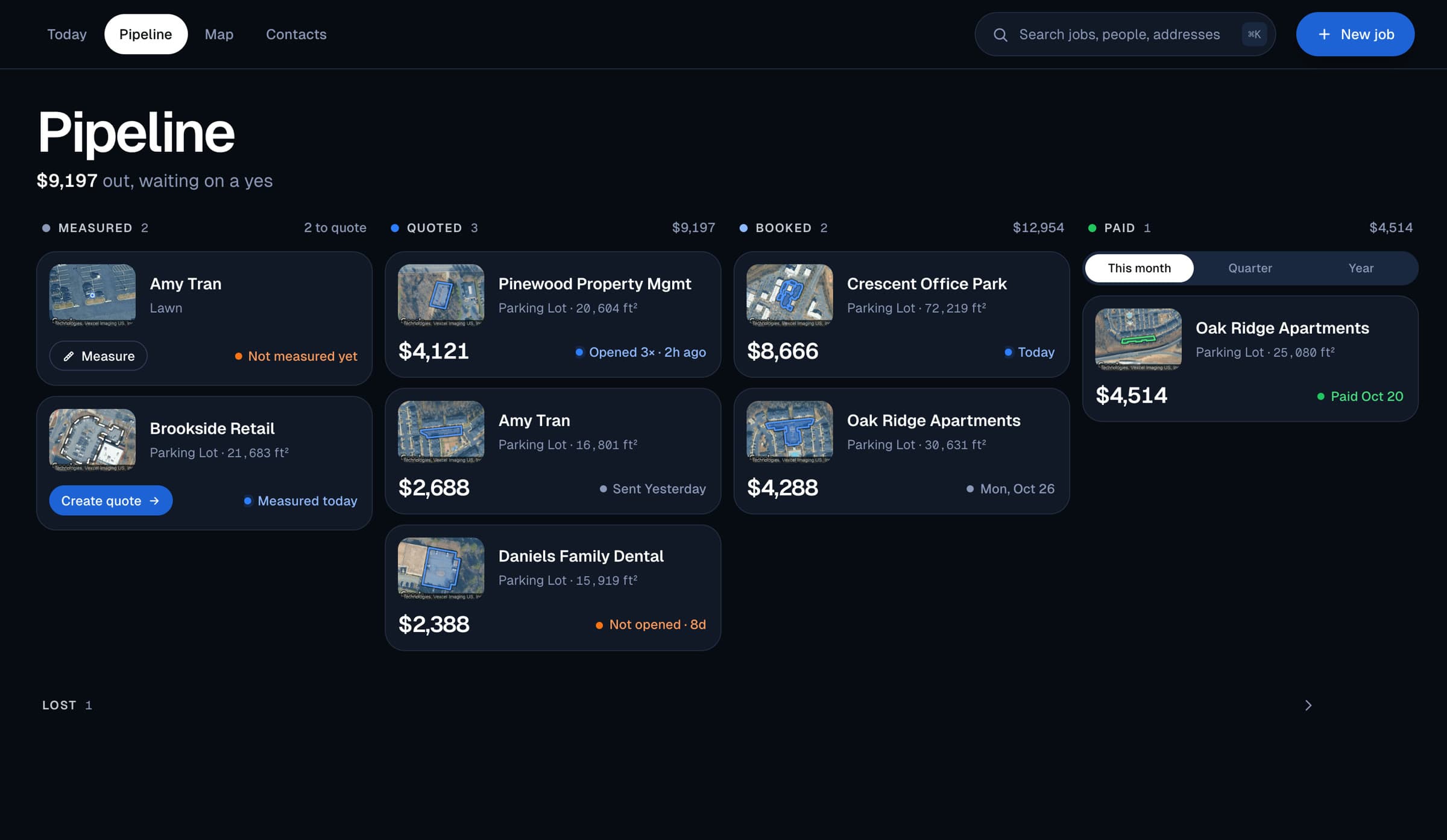
Every Dollar, Where It Stands
Measured, quoted, booked, paid. Each column has its total, and the top line says how much is out waiting on a yes. Every quote card shows whether it was opened, how many times and when.
A job that has been measured but not priced has Create Quote right on its card, and anything you lost sits out of the way below, ready to reopen.
The Map
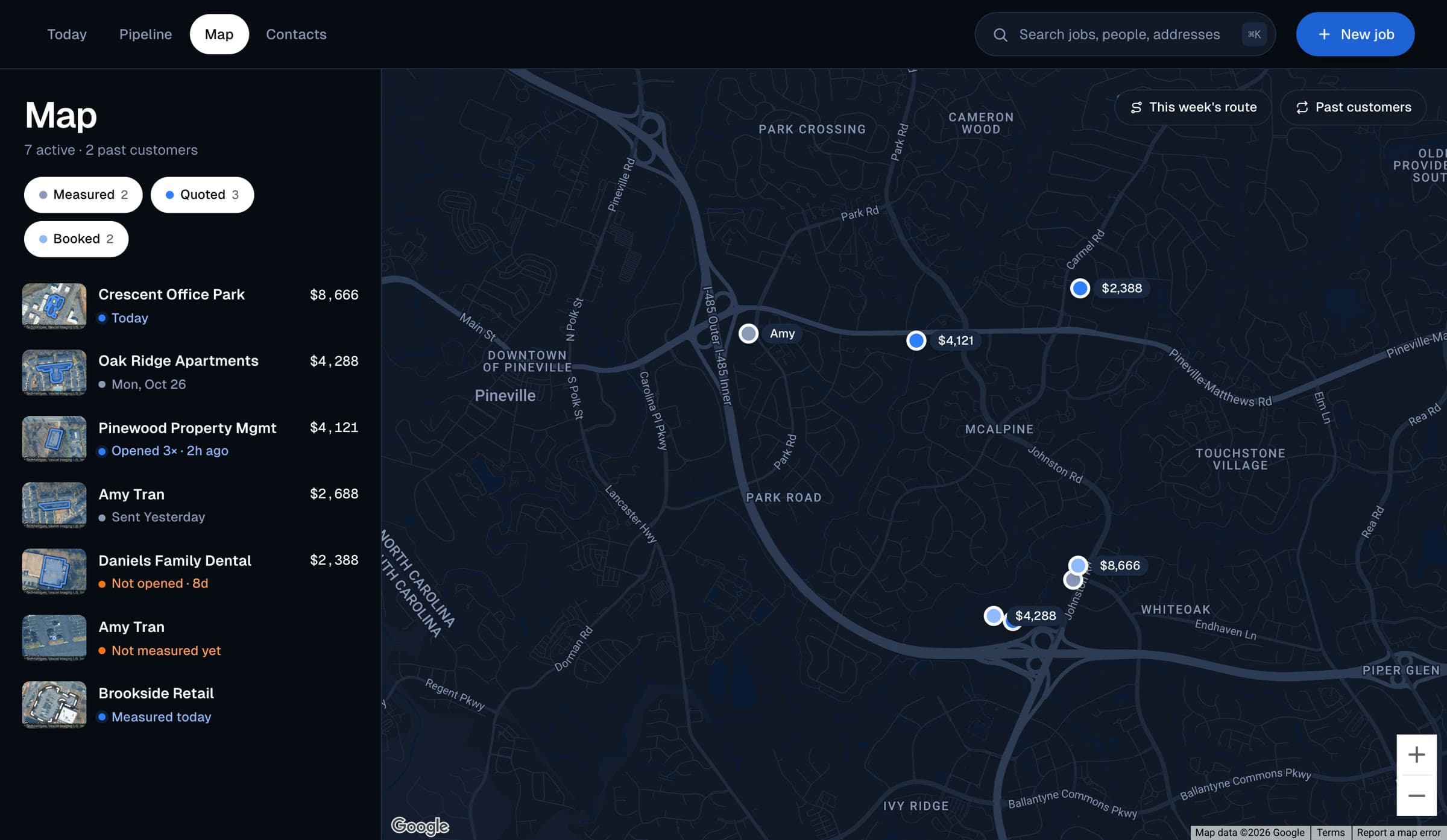
This Week's Route, In Order
Every job sits on the map, coloured by stage. This week's route puts your booked jobs in a sensible driving order, with Directions one tap away.
Past customers shows your paid jobs too, so a new lead three doors from an old customer is plain to see.
Why It Matters
The Follow-Up Is Where Jobs Are Won
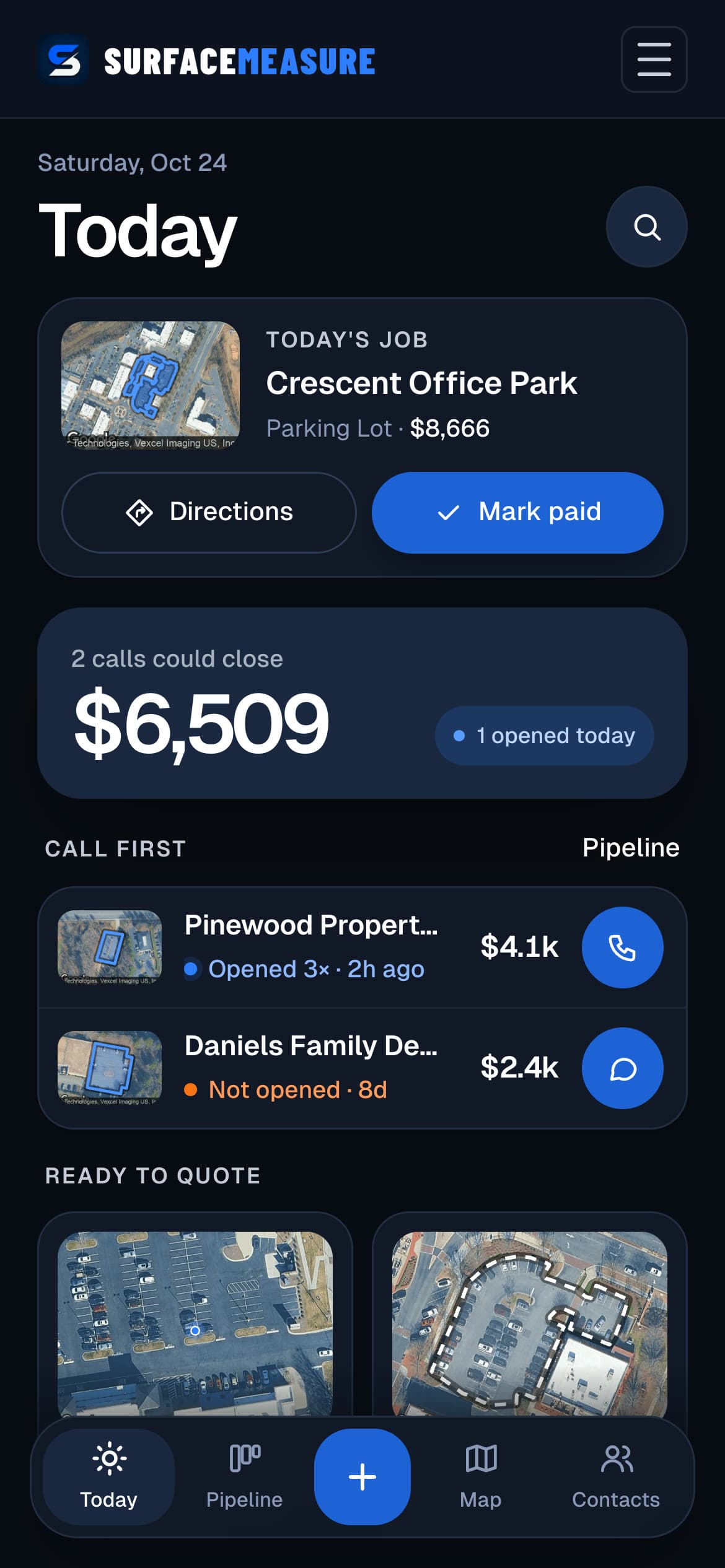
Call While They're Looking
See who opened your quote this morning and call them first, while your price is still on their screen.
Every Customer In One Place
Search by name, business, phone or email and open the customer with every job and quote you have done for them.
The Next Job Is A Past Customer
Set when a paid job is due again. Due for service brings it back on the day, and Ask for a review drafts the message for you.
Questions, Answered
Jobs, Answered
How does a job get into Jobs?
Every measurement you finish becomes a job at that address. You can also start one from New job before you measure, pick what you are measuring, and trace it when you are ready.
Do I have to move jobs between stages myself?
Mostly no. Creating a quote moves a job to quoted, and when the customer taps Accept it moves to booked on its own. You mark it paid when the money is in, or lost if it went elsewhere, and a lost job can be reopened.
How do I know who to call?
Today puts the quotes that could close at the top, with Call first showing who opened your quote and how many times, and who has not opened it yet. Each one has a call or text button beside it.
Does it handle repeat work?
Yes. Set when a paid job is due for service and it shows under Due for service on that day. Quote again starts a new job at the same address for the same customer, and the old job and its price stay on record.
Does my customer need an account or an app?
No. They get a text or an email from your own phone with a link. They open it in their browser, see your quote and tap Accept. Nothing is charged through the link.
Keep Exploring
The Rest Of The Kit
Free Guides & Calculators