
Measure Area from Satellite
Any surface, any property. Search an address, trace the outline, and get exact square footage — without leaving your desk.
You can measure the area of almost any U.S. property from satellite imagery without a site visit. Search the address in SurfaceMeasure, trace the surface with the polygon tool, and the square footage comes back typically within 1–3% of a tape measurement on a clear, unobstructed surface.
Card required · Cancel anytime
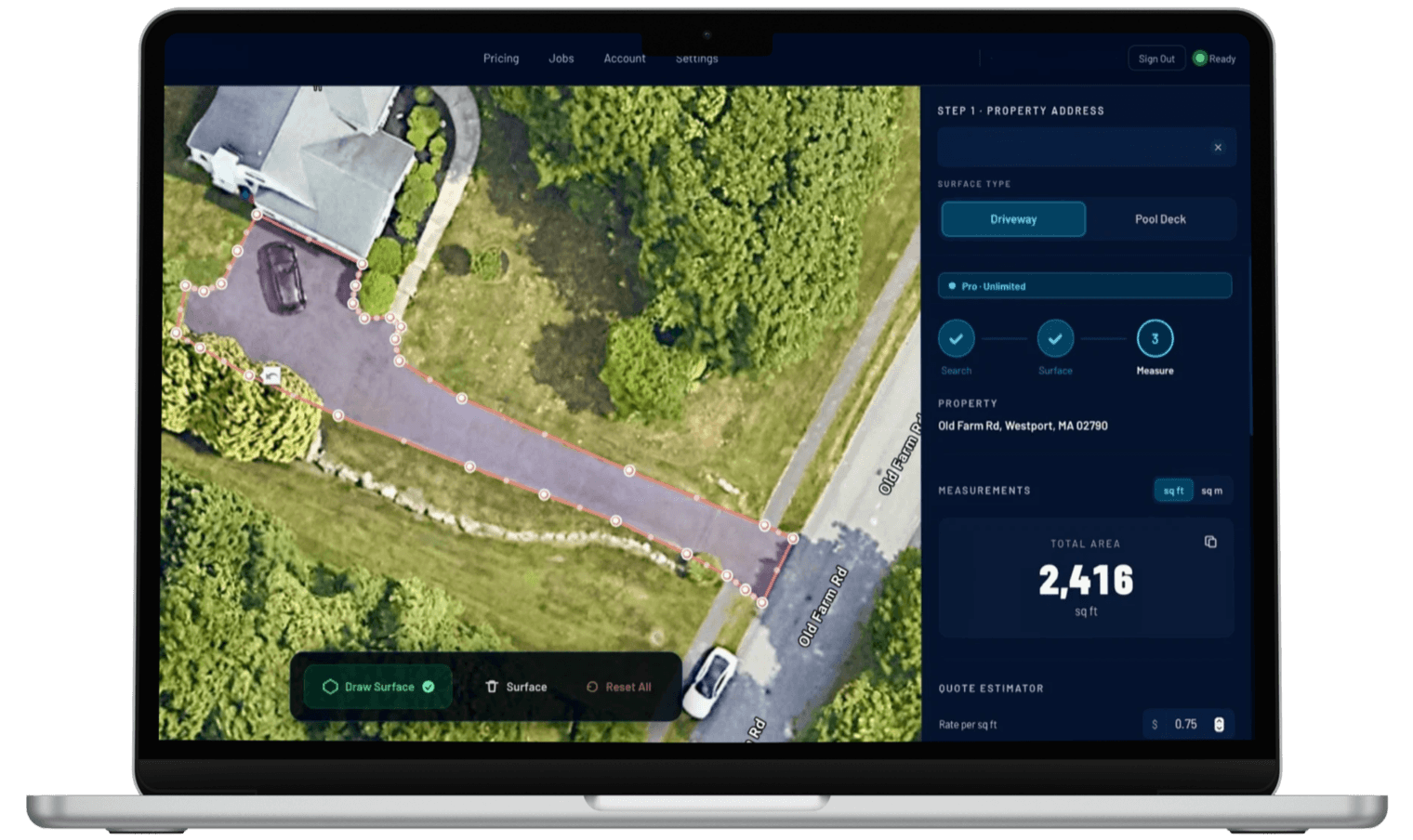
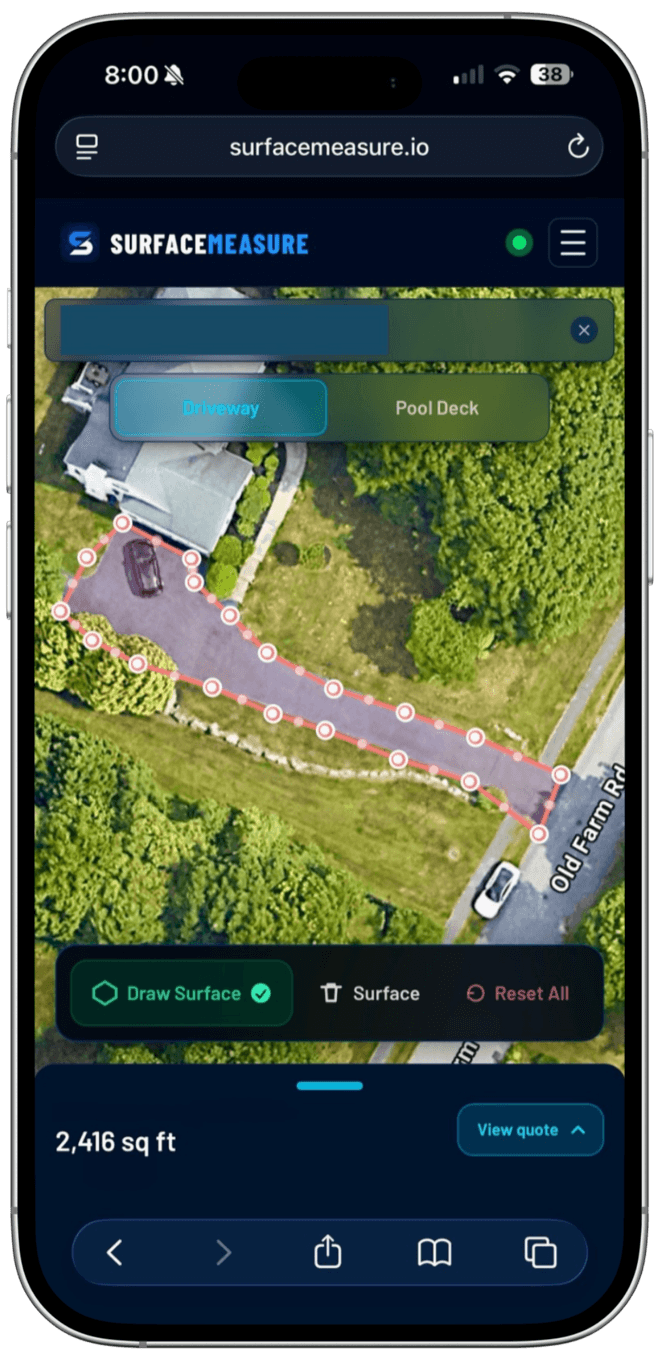
A driveway measured from satellite imagery — 2,416 sq ft, no site visit.
How do contractors estimate jobs from satellite images?
Measure first, then price. Trace each surface the job covers — driveway, walkway, pool deck — as its own shape on the satellite image, subtract anything you won't touch, and multiply the net square footage by your rate per square foot. On a clear surface SurfaceMeasure's traced area is typically within 1–3% of a tape measurement, so the quote can go out before anyone drives to the property.
A Satellite Measurement Tool Built for the Real World
Satellite imagery now covers virtually every residential and commercial property in the United States at resolution high enough to trace surface boundaries accurately. SurfaceMeasure puts a precision polygon drawing tool on top of that imagery, so contractors, estimators, and property managers can measure any surface — pool deck, driveway, parking lot, patio — from a browser tab.
The result is a measurement you can act on: accurate enough to write a professional estimate, order materials, and price a job, without driving to the property first.
How Accurate Is Satellite Area Measurement?
Typical accuracy
1–3%
vs. physical tape measurement
For most residential and commercial properties, satellite-based area measurement lands within 1–3% of a physical tape measurement — consistently close enough for contractor estimates, material quantity calculations, and job pricing.
The accuracy comes from the underlying imagery: high-resolution satellite photos are georeferenced, meaning each pixel maps to a real-world coordinate. When you draw a polygon in SurfaceMeasure, the area calculation uses those coordinates, not pixel counting. The result is geometrically accurate relative to the imagery.
SurfaceMeasure is a contractor measurement and estimating tool — not a replacement for a licensed land survey. Where legal boundaries or survey-grade precision matter (boundary disputes, permitted construction), use a surveyor. For everything else — and that's most contractor work — satellite measurement is accurate enough to move forward with confidence.
Works best when
- The surface edge is clearly visible from above
- You're measuring flat hardscape: driveways, decks, patios, lots
- Imagery of the property is recent and high-resolution
- You're estimating or ordering materials before a site visit
Double-check when
- Heavy tree cover or deep shadows hide part of the edge
- The surface sits under a roof overhang or permanent cover
- The ground is steeply sloped (imagery shows the top-down footprint)
- The property was recently built or repaved — imagery can lag by months
How to Measure Area from Satellite with SurfaceMeasure
Search the address, trace the surface, read the area.
Search Any Address
Type in any residential or commercial address. The satellite view loads instantly, giving you a clean overhead view of the property and surrounding area.
Draw Your Surface
Click to place polygon points around the surface boundary. Follow the exact outline of a pool deck, driveway edge, or parking lot perimeter. Place as many points as you need for an accurate trace.
Get Instant Square Footage
SurfaceMeasure calculates the enclosed area automatically the moment you close the polygon. Save the project, export a PDF, or share a link — the measurement is ready to use.
Watch a Real Job Estimated From Satellite Images
A 21,774 sq ft office lot in Charlotte, NC, traced once from satellite in the real tool, then quoted three ways: sealcoating, pressure washing and a snow removal season.
Chapters cover tracing the lot, satellite accuracy, pricing each job, the quote your customer accepts from their phone, and when to still visit the site.
Imagery ©2026 Google, Airbus, Maxar Technologies, Vexcel Imaging US, Inc.
What Can You Measure?
Any surface with a visible boundary. If you can trace it, SurfaceMeasure can calculate it.
Pool Decks
Trace the deck perimeter and pool outline separately. SurfaceMeasure automatically calculates net deck area.
Driveways
Straight, curved, circular, or multi-section. The polygon tool handles any driveway shape accurately.
Parking Lots
Large commercial paved surfaces, entry drives, and multi-section parking areas — measured at any scale.
Patios and Hardscape
Residential and commercial patios, walkways, and decorative concrete surfaces of any shape.
Rooftops
Flat and low-slope commercial roofs, residential roof sections, and outbuilding rooftops.
Lawns and Green Areas
Turf areas, landscaped zones, and outdoor surfaces for maintenance and material estimation.
Measuring Remotely vs. Driving to the Property
The same square footage, without the windshield time. Here's what changes when you measure from satellite imagery instead of on foot.
Driving to measure
- Drive to every property with a wheel or tape
- One site at a time — travel eats the day
- Miss a section and you re-measure on a second trip
- Hard to quote jobs outside your immediate area
Measuring from satellite
- Search the address and measure from your desk
- Quote several properties in the time one drive takes
- Every measurement is saved to re-open and re-bid
- Quote a job anywhere you can pull up an address
Want the full tool-by-tool breakdown? SurfaceMeasure vs. Google Earth · Google Earth alternative for contractors
Who Uses Satellite Area Measurement
Built for professionals who measure properties to quote, plan, and manage work.
Contractors and Estimators
Quote jobs remotely before deciding whether a site visit is worth making. Measure five properties in the time it used to take to drive to one.
Property Managers
Scope maintenance and renovation work across multiple sites without leaving the office. Save every measurement to your account for reference and rebidding.
HOA and Commercial Managers
Measure common area hardscape, parking lots, and pool decks across an entire portfolio. Export measurements for vendor bids and board presentations.
For pressure washing contractors
Measuring to quote a pressure washing job?
Satellite measurement is the first step. Turn the square footage into a priced estimate — residential or commercial — and send the quote the same day.
Satellite Area Measurement — Common Questions
Everything contractors and property professionals need to know.
Yes, with limits. Google Maps in a desktop browser returns the area of a closed shape at no cost, and the calculators on this site are free with no account once you have the dimensions. Tracing in SurfaceMeasure, with unlimited measurements, saved job history, and PDF quotes, is part of Pro. New accounts start with a 7-day free trial of Pro: a card is required, nothing is charged today, and nothing at all if you cancel before the trial ends. After that it is $29.99 a month, or $299 a year (the yearly plan has no trial).
For most residential and commercial properties, satellite-based area measurement is accurate within 1–3% of a physical tape measurement. In dollar terms that error barely registers: even at the worst end of the range, 3% on a 2,000 sq ft driveway priced at $0.15 per square foot is about $9 on a $300 quote. That's consistently reliable for contractor estimates, material quantity calculations, and job pricing, and it's why contractors quote from satellite measurements without a site visit. For work requiring survey-grade precision — property boundary disputes, permitted construction — a licensed surveyor is still the right tool. For everything else, satellite measurement is more than accurate enough to move forward.
Anything with a visible boundary from above. Pool decks, driveways, patios, parking lots, rooftops, lawns, commercial hardscape, and warehouse floors are all common use cases. If you can see the surface edge on the satellite image, you can trace it and measure it. The honest limits: vertical surfaces — house siding, fences, walls — can't be measured from an overhead view at all, and heavy tree cover over an edge means tracing that section by judgment rather than by sight. For a partly shaded driveway or walkway, the standard technique is to measure the width on a clear section and carry it through the covered run.
In everyday use, "satellite measurement" and "aerial measurement" describe the same thing: measuring a surface from an overhead image instead of on foot. Google Earth shows you similar imagery, but it has no area tool built for contractors — no net pool-deck subtraction, no saved jobs, no quote. SurfaceMeasure adds a precision polygon tool, instant square footage, saved history, and quoting on top of that overhead view.
Yes. SurfaceMeasure uses high-resolution satellite imagery covering virtually all residential and commercial properties across the United States. Rural properties, large commercial sites, and multi-building campuses all work the same way as a standard residential address: type the address, and the map flies to an overhead view in about two seconds. Imagery quality does vary by region — dense metro areas are typically refreshed more often than remote rural land — but for the flat, ground-level surfaces contractors quote, current imagery is the norm, and you can see exactly what you're tracing before you commit to a number.
No. SurfaceMeasure runs entirely in the browser — desktop, tablet, or mobile. Open it, search an address, and start drawing. Nothing to download or install, no license keys, and no updates to manage. In practice that means you can measure from wherever the lead reaches you: the truck between jobs, the office, or your phone at the kitchen table. A measurement made on one device is in your account on every other one.
Yes. Every project is saved to your account automatically, with the traced shapes, the net square footage, and the price it was quoted at — so a callback six months later starts from the original numbers instead of a re-measure. You can export a PDF with measurement data, capture a screenshot of the map with drawn shapes, and share a direct link with clients or team members.
Related Tools
Specific calculators and guides for common measurement jobs.
Start Measuring Any Surface — Right Now
Search any address, trace the surface, and have the square footage without a site visit. Card required, cancel anytime.